 CGPA to Percent
SGPA to CGPA Calculator: Convert Semester Grades Accurately
SGPA to CGPA calculator guide by CGPA to Percent. Compare simple and credit-weighted methods and check university rules.
Try CGPA to Percent
Free • No signup • No data storedConvert your semester SGPAs to CGPA with simple or credit-weighted calculation, a running semester-wise breakdown and university percentage guidance.
You have your semester results, but an application asks for your overall grade. An SGPA to CGPA calculator can turn your semester scores into a cumulative estimate in seconds, provided you enter the right information.
The result depends on how your institution calculates CGPA. Learn what each score means, compare common calculation methods, and check your result against your university’s rules before using it for a formal application. You can try both methods now with the free CGPA to Percent calculator — enter your semester SGPAs, add credits where your university uses them, and read the step-by-step breakdown before you rely on the number.

Understand Your SGPA and CGPA
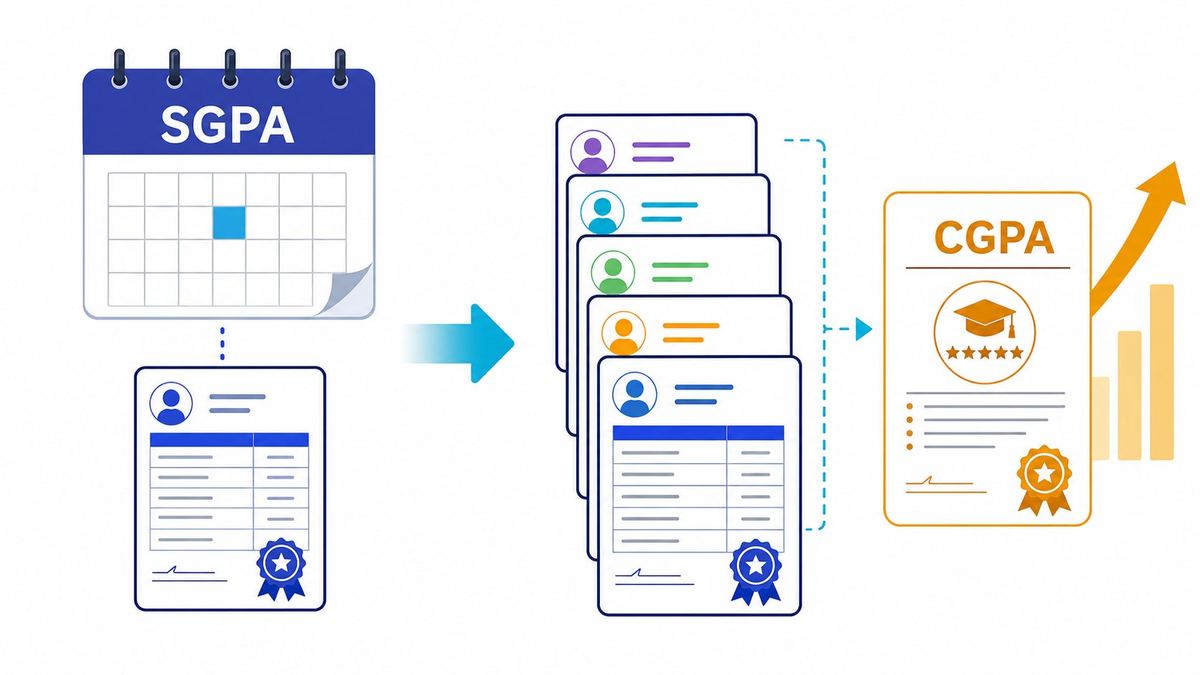
SGPA and CGPA both use grade points, but they cover different parts of your academic record. One relates to a single semester, while the other combines results across a program or a defined set of terms. Your institution’s grading policy sets the exact rules for both.
What SGPA tells you about one semester
Your Semester Grade Point Average, or SGPA, summarizes your grade-point performance for one semester. It’s usually based on the grade points you earned in your courses and the credits assigned to those courses. A course with more credits may carry more weight in the semester calculation. If you need that single-semester figure from subjects, use the SGPA calculator.
What CGPA shows across your program
Your Cumulative Grade Point Average, or CGPA, combines academic results across multiple semesters. It gives you a broader view of your performance than any single SGPA. The courses and terms included can vary, so check your institution’s rules to see what counts.
Why the two scores aren’t interchangeable
An SGPA describes one semester; a CGPA covers several. If you average your SGPAs, you may not get the same figure as your official CGPA. That’s because semester credit totals may differ, or your university may use a calculation method other than a simple average.
How an SGPA to CGPA Calculator Works
A calculator applies a formula to the semester results you provide. Some ask only for SGPAs, while others also need each semester’s applicable credits. Before entering anything, check which method the calculator uses and whether it matches your institution’s policy.
The simple average method
When a university allows equal weighting, you can add your semester SGPAs and divide by the number of semesters. The formula is: CGPA = sum of semester SGPAs ÷ number of semesters. For example, SGPAs of 8.0 and 9.0 give a simple average of 8.5.
This method treats each semester equally, regardless of its credit load. Don’t assume it’s the official method just because a calculator offers it. Confirm that your institution permits equal weighting before relying on the result.
The credit-weighted method
A credit-weighted calculation accounts for the credits attached to each semester. Multiply each SGPA by its applicable credit total, add the results, then divide by the total applicable credits. In formula form: CGPA = sum of (SGPA × semester credits) ÷ total applicable credits.
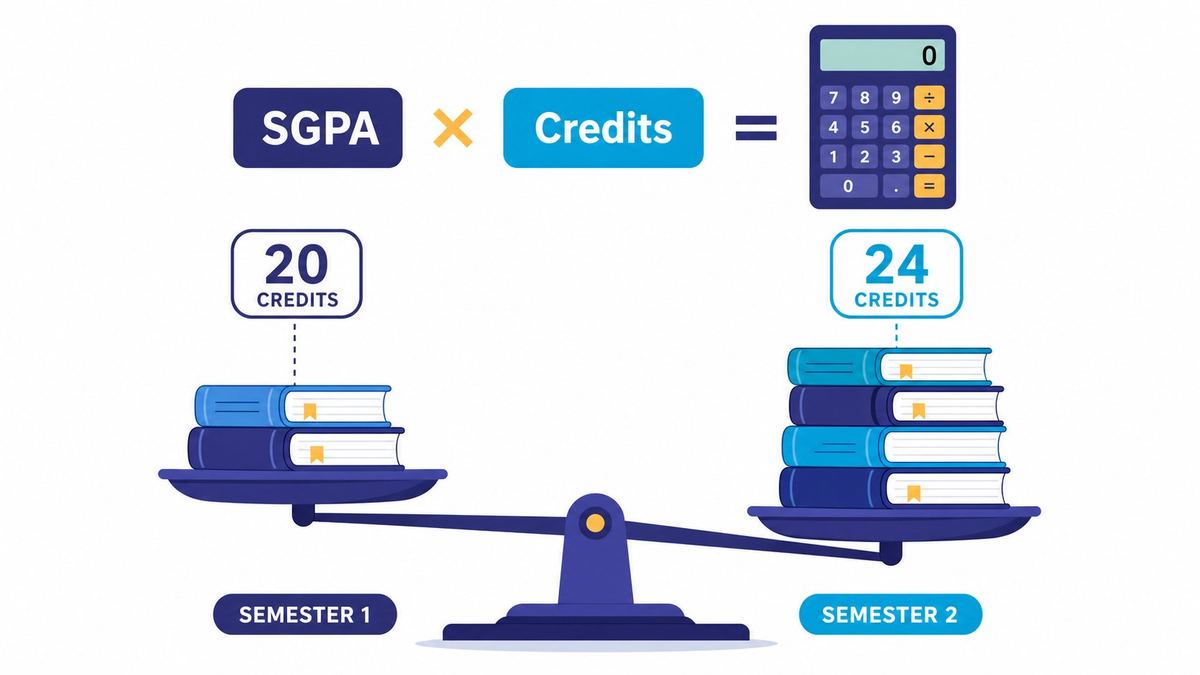
For example, an SGPA of 8.0 across 20 credits and an SGPA of 9.0 across 24 credits produce a weighted CGPA of about 8.55. The answer differs from the simple average of 8.5. Check which credits and semesters your university includes, then run your own numbers on cgpatopercent.online.
The grading scale and conversion rules
SGPA and CGPA usually follow the same grade-point scale at a given institution. A score from one grading system may not be comparable with a score from another, even if both use a 10-point scale. Converting a CGPA to a percentage or another scale may require a separate formula, so use your institution’s published rule — see the CGPA to percentage calculator, where every rule links to its official university source.
Use an SGPA to CGPA Calculator Accurately
A calculator can save time, but it can’t confirm whether your inputs match your official record. Start with finalized results and the credit details the calculator requires. Then check its method before you use the answer.
Gather your semester scores and credit details
Use the SGPA values shown on your official results or transcript. If the calculator asks for credits, enter the relevant total for each semester, not an estimate. Make sure every score uses the same grading scale and comes from the same program or record.
Enter each semester’s information
Add each semester’s SGPA and credit total in the matching fields. If the tool offers a choice between a simple average and a weighted calculation, select the method your university uses. Before calculating, check for swapped values, missing semesters, or typing errors.
Review the result before relying on it
Read the calculator’s method and compare it with your institution’s policy. Rounding can create small differences, while repeat courses, backlogs, or excluded semesters may cause larger ones. Treat the result as an estimate unless it matches the rules used for your official academic record.
Avoid SGPA to CGPA Calculation Mistakes
Small input errors or a wrong assumption about the formula can change your result. A calculator may return a precise-looking number even when the data or method doesn’t fit your university’s rules. Check these common issues before you use the score.
Treating every semester as equally weighted
A simple average gives each semester the same influence on the final score. That may be unsuitable if one semester has more credits or your university uses a credit-weighted method. When credit totals differ, check the official formula before choosing an averaging option.
Mixing scales or entering unofficial scores
Don’t combine SGPA values from different grading scales without confirming how they should be handled. Estimated grades can also produce a result that differs from your final record. Use finalized transcript scores and verify the scale listed in your institution’s grading policy.
Overlooking institution-specific rules
Universities may treat repeated courses, failed subjects, transfer credits, and withdrawals in different ways. Some may also apply specific rounding rules or exclude certain terms from the calculation. If you’re unsure what counts, check the published policy or ask the registrar.
Use Your CGPA for Academic Plans
A cumulative score can help you track progress and check whether you meet an academic requirement. The number from a calculator may be useful for planning, but it isn’t always an official score. Use the figure requested by the school, scholarship body, or employer.
Track academic progress across semesters
Record each finalized SGPA alongside your current CGPA after results are released. This makes it easier to spot changes in your performance and plan for later terms. Use the same institution-approved calculation method each time so your records stay consistent.
Check requirements for applications and opportunities
Admissions offices, scholarship programs, and employers may set a minimum CGPA or request a score on a specific scale. Read the requirement carefully and check whether it asks for a self-reported estimate or an official record. Submit the transcript or certified score when the application calls for one.
Know when to contact your institution
Contact your academic office or registrar if your calculator result differs from your transcript. Ask for help if the policy doesn’t explain how your credits, repeated courses, or other terms are counted. For formal documents, rely on the score your institution confirms.
Calculate Your CGPA With Confidence
SGPA measures your results for one semester, while CGPA combines performance across multiple terms. The right conversion may use an equal average or a credit-weighted formula, depending on your institution’s rules.
Enter verified scores and credits, check the calculator’s method, and compare the result with your academic policy. Before sending a CGPA for an application, use your official record whenever one is required. Start now with the CGPA to Percent calculator and keep this guide open while you enter each semester.
More calculators
Frequently asked questions
What is the difference between SGPA and CGPA?
SGPA summarises grade-point performance for one semester. CGPA combines results across multiple semesters or a defined set of terms, using the method in your institution grading policy.
Should I use a simple average or a credit-weighted CGPA?
Use the method your institution uses. A simple average treats every semester equally; a credit-weighted CGPA multiplies each SGPA by its applicable semester credits and divides by total applicable credits.
Why does my calculator result differ from my transcript?
Rounding, repeated courses, backlogs, transfer credits, excluded terms or a different weighting method can all cause differences. Compare the calculator method with your institution policy and contact the registrar if the difference remains.
Is the result from CGPA to Percent official?
No. It is a free estimate to help you understand and check your record. For a formal application, use the CGPA confirmed on your official transcript whenever one is required.
Last reviewed: 2026-10-19 • Report an error • Inputs are stored only in the URL, never on a server.